01
Start your way
Describe your app in your own words, start from an app you admire, or research a market and get five scored concepts. Each ends in a plan you can question.
AI app builder Start from evidence. Ship a real app.
Start from an idea, a description or an app you admire. AppCrafter plans it with you, names and brands it, then builds it while you watch. Add payments, an admin panel, languages and SEO in one press each, and publish on your own domain. Real code and data, in accounts you own.
50 free AI credits to start, 300 a month on Pro, or your own keys · Your code, your database, your Stripe. Leave any time
One continuous context
Describe your app in your own words, start from an app you admire, or research a market and get five scored concepts. Each ends in a plan you can question.
Map the competitors, pick a name with a domain you can register, decide where the app and its marketing site go, and approve one of three brand directions.
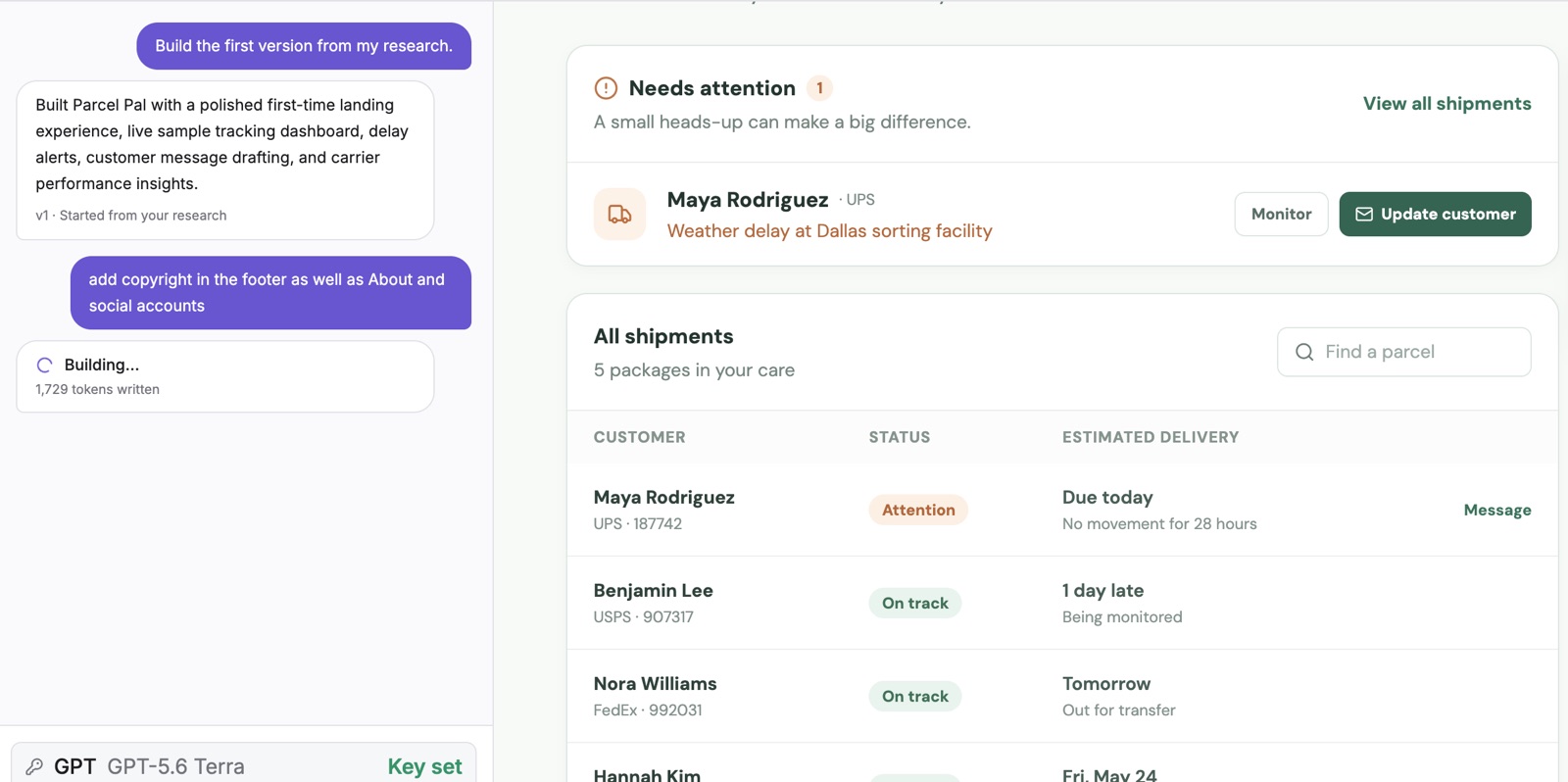
Watch the first version being written from your plan. Then change anything in plain English or by clicking it. Web app or mobile app.
Connect a database and Stripe, run recipes for payments, an admin panel, marketing pages, themes, languages and SEO, then publish on your own domain.
Recipes
Plans, pricing page, checkout, paid access, billing.
Analytics, keys, AI models, users and finance, for you and your admins only.
About, Features, Pricing, Help, Docs, Blog and a working Contact form.
Welcome, contact and sign-up emails, and your newsletter list, with the tool you already use.
On the app, the marketing site or both.
English plus any of nine, right-to-left included.
Tags, sitemap, llms.txt, Search Console and Bing.
A scored review, turned into a plan you implement step by step.
Questions
No. Every account gets 50 starter credits to try the builder without a key, Pro includes 300 AI credits a month and Studio 1,000, and on Pro or Studio you can top up 500 credits for $10 whenever you need more (top-ups never expire). Credits pay for the app builder, market research, names and idea chat. A credit is one US cent of what the AI provider charges, plus 25% for retries and price changes. One message to the builder (the first version, or one change) on a mid-range model such as Claude Sonnet 5.5 uses about 9 to 17 credits, so 300 credits are roughly 17 to 33 messages; an economy model goes several times further, and the most capable models use about 17 to 66 a message. The pricing page lists each model. Monthly credits are used first, renew each month and do not roll over. On any plan you can connect your own Anthropic, OpenAI or Google key instead; your provider bills you directly, with no markup and no limit from us. Once its starter credits are used, the Free plan needs your own key, and AI logo generation always uses one. Safe preview runs the research flow without calling a provider at all.
A working app: React and TypeScript for the web, or React Native for phones. You can publish a web app to its own address in one click, connect a database in your own Supabase account, and push the code to your own GitHub repository at any time. Nothing about it depends on AppCrafter to keep running except the free blissfulplan.store hosting, and you can move off that whenever you like.
Take everything with you, free, on any plan. Download the project as a zip (the code, plus your research, concept and brand as Markdown with your logo) or push it to your own GitHub, and host it anywhere that serves a Vite app. Your Supabase database and Stripe checkout are already in your own accounts, so they keep working without us. We check on every release that a downloaded project installs and builds with nothing from AppCrafter. The step-by-step guide is at appcrafter.app/leave.
Yes: pick a mobile app before the first build and it is built with React Native and Expo, for iPhone and Android. It previews in the page, and opens on your own phone through the free Expo Go app by scanning a QR code, updating as you build. Publishing to the App Store and Google Play is not available yet; the code is a standard Expo project, so you can publish it yourself with Expo's tools.
Recipes are detailed, ready-made requests for the big jobs: payments, an admin panel, the marketing site's pages, email, a light and dark theme, languages, SEO and GEO, and a full audit with a step-by-step plan. They are in the Recipes button under the chat, numbered in the order that works best. Connect the database before payments and the admin panel, because both need to store who paid and who is an admin. Add the marketing pages after payments and the admin panel, run the theme and languages once your pages are settled, SEO after languages and after publishing, and the audit last. Any order still works; the menu warns you, without blocking, when a step runs before what it depends on. The full sequence is in the Docs.
All questions · Docs · Help centre · Contact
Ready to build something people want?